By CPU Academy Editorial Team |
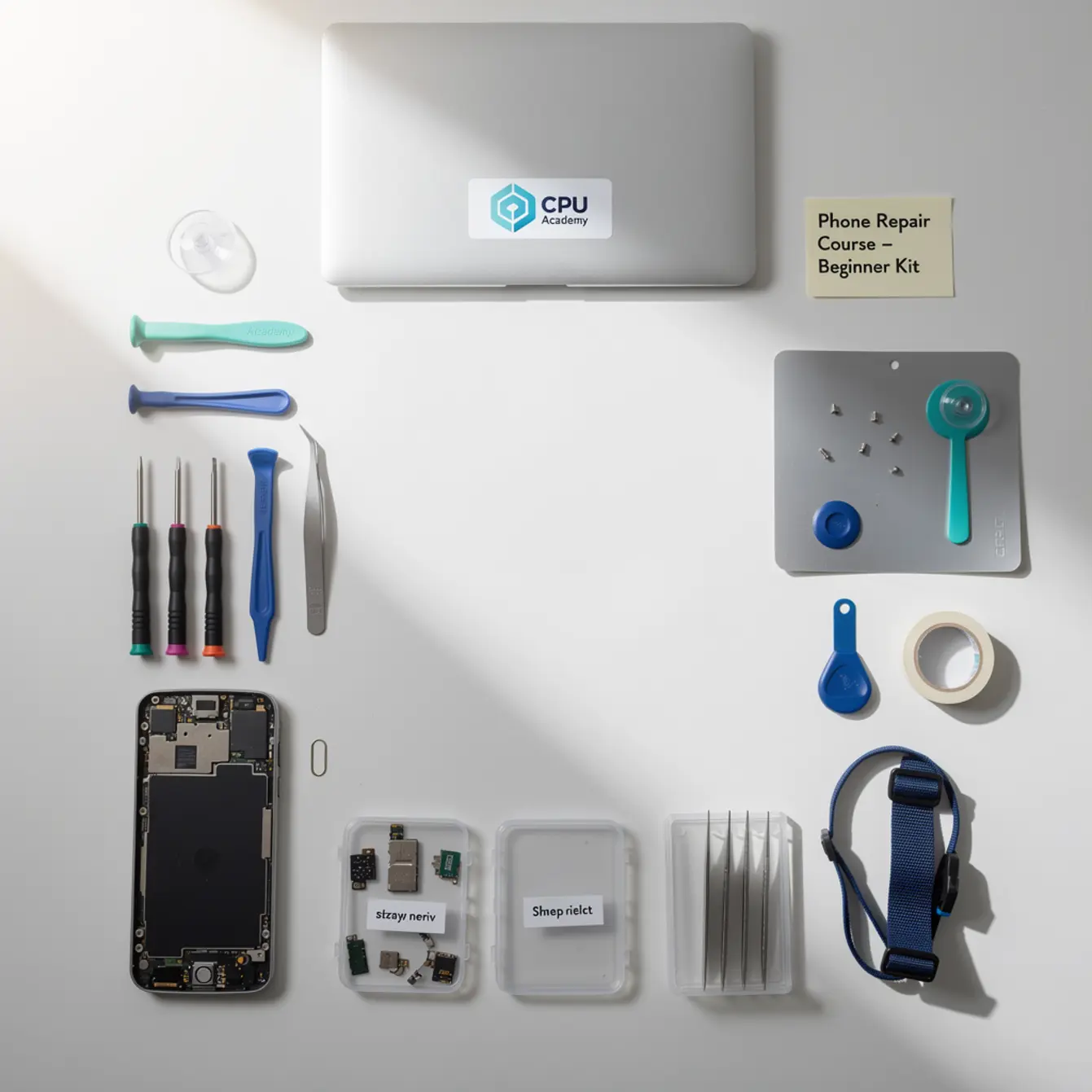
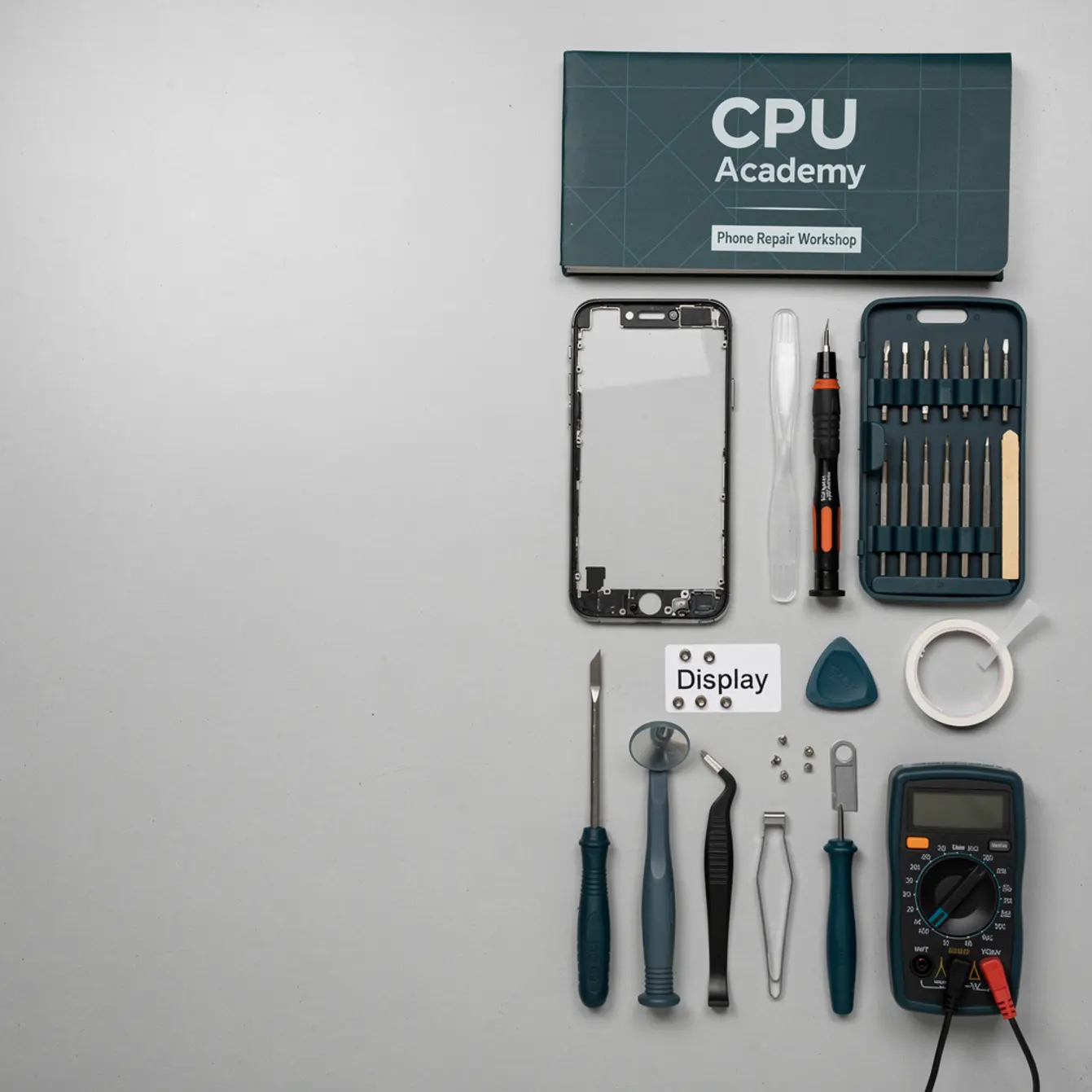
Quick answer: A solid phone repair toolkit for beginners includes a precision screwdriver set, plastic spudgers, suction cups, an anti-static mat, tweezers, and a heat gun or hot plate. Add a multimeter once you move past screen swaps. You do not need every tool on day one — start with these six, enroll in a structured phone repair course, and build from there.
Here is the fear most beginners carry into their first repair attempt: they spend money on tools they never use, crack the screen they were trying to save, or burn an hour watching five different YouTube clips that completely contradict each other. Sound familiar?
That fear is reasonable. It is also fixable. The right phone repair toolkit for beginners is shorter than most lists you will find online. And the right course keeps you from guessing which tool does what job on which repair.
This article gives you a clear, no-fluff checklist of every tool a beginner actually needs — nothing more, nothing less. If you want the shortest path from confusion to confident hands-on repair, open CPU Academy’s Online Phone Repair Course & Certification and see how the training is structured for beginners.
Quick Answer: Who Should Use This Phone Repair Toolkit for Beginners Checklist?
This checklist is for anyone enrolling in a cell phone repair course who has never cracked open a smartphone before. It also works for people who have tried and felt completely lost without a clear tool list to follow.
It fits hobbyists who fix phones for friends and want to stop borrowing the wrong tools. If you are somewhere between “I’ve watched a few videos” and “I’m ready to charge for repairs,” this is your starting point.
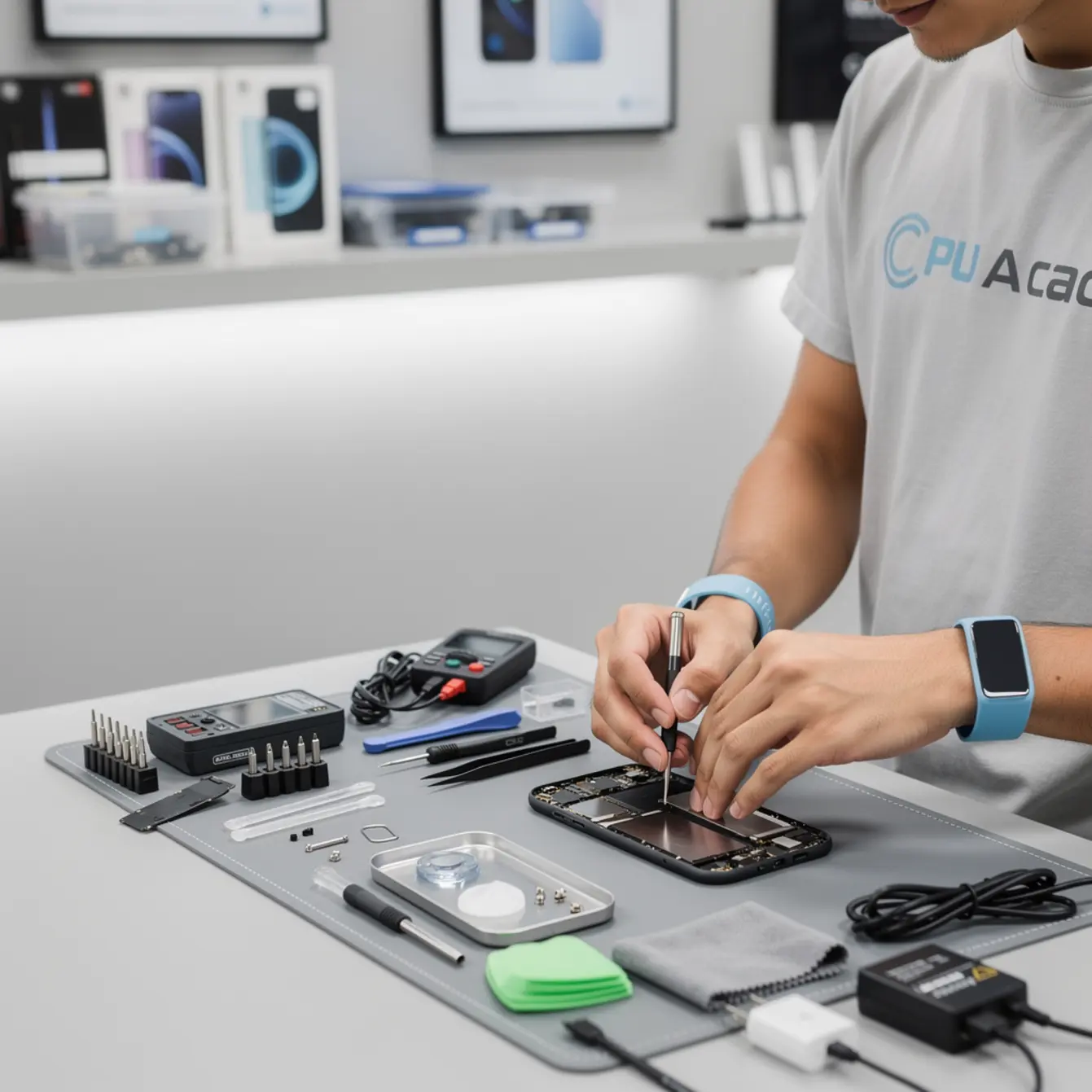
The list is organized by priority. The first six tools handle roughly 80% of the common repairs you will encounter. Everything else can honestly wait until your second or third month of practice.
Who This Is Best For (and Who Should Skip It)
This checklist is a good fit if you:
- Are starting a mobile phone repair course and have no tool kit yet
- Want to repair screens, batteries, and charging ports — the most common paid jobs
- Have a budget under $100 for your first setup
- Prefer to buy tools once and not replace them every few months
You can skip this list if you:
- Already work in a repair shop with a bench kit provided
- Are studying board-level microsoldering (that kit is more advanced and more expensive)
- Are only curious about repair but have no real plan to practice on actual devices
Repair skills only stick when you practice on real devices. A list of tools without a structured course behind it is just gear collecting dust on a shelf.
The Beginner Kit Checklist
Use this table as your shopping guide. The “Priority” column tells you what to buy first. You can also browse the iFixit tool catalog for electronics repair bench basics to compare specific products before you spend anything.
| Tool | What It Does | Priority | Notes |
|---|---|---|---|
| Precision screwdriver set | Opens the phone chassis | 🔴 Day 1 | Look for Phillips #000, Pentalobe, and Tri-point bits |
| Plastic spudgers | Pries components without scratching | 🔴 Day 1 | Plastic is safer than metal for first repairs |
| Suction cup / lift handle | Lifts screens without cracking | 🔴 Day 1 | Essential for any screen replacement |
| Anti-static mat + wrist strap | Protects components from static damage | 🔴 Day 1 | Skip this and you risk killing circuits silently |
| Tweezers (ESD-safe) | Places tiny screws and connectors | 🔴 Day 1 | Straight and curved tips both useful |
| Heat gun or hot plate | Softens adhesive for safe removal | 🔴 Day 1 | A hair dryer works in a pinch but is less precise |
| Opening picks / guitar picks | Slides around the phone edge | 🟡 Week 2 | Buy a pack of 10; they break and that is normal |
| Multimeter | Tests voltage, continuity, and battery health | 🟡 Week 2–3 | Needed once you diagnose charging or power issues |
| Screw organizer / magnetic mat | Keeps screws in order so nothing gets lost | 🟡 Week 2 | Cheap and saves hours of frustration |
| UV adhesive + UV lamp | Seals glass replacements cleanly | 🟢 Month 2+ | Only needed for glass-only screen repairs |
| DC power supply | Tests boards without a battery risk | 🟢 Month 2+ | Pairs with schematic-based diagnosis training |
| Soldering iron / station | For board-level component work | 🟢 Month 3+ | Not needed until micro-soldering stage |
🔴 = Buy before your course starts | 🟡 = Add in the first two weeks | 🟢 = Advanced — buy when you need it
What to Compare Before You Buy or Enroll
For most beginners, buying tools and choosing a course happen at almost the same time. Here is what actually matters at this stage — not spec sheets, just the practical stuff.
Cost
Your Day 1 kit should come in under $60 if you buy tools individually. Pre-packaged kits exist, but they often include tools you will not touch for months. Put your money into quality screwdrivers and spudgers first. Those two items are what you reach for on every single job.
Real-Device Practice
No tool means anything without practice on a real phone. Pick up a cracked-screen donor device from an online marketplace — they are cheap and give you something safe to open before you ever touch a paying customer’s phone. Your first successful screen swap on that donor device will do more for your confidence than any amount of watching.
Course Support and Schematic Access
A good online phone repair course teaches you how to read a schematic, not just where to push a spudger. That gap matters when you move from simple screen swaps to diagnosing power or charging faults. CPU Academy’s Phone Schematic Diagram course covers exactly this for learners who want to go deeper than teardown videos.
Time to First Paid Skill
Screen replacements are the fastest entry point to paid repair work. A focused phone screen replacement course can take you from zero to confident on that one repair faster than a broad course spreading your attention across twenty topics at once.
Job Path
Think about where you want to be six months from now. Independent repair? A shop job? A side income? Each path needs a slightly different skill order, but all of them start with the same basic tool kit listed above.
Common Mistakes Beginners Make
⚠️ What beginners usually do wrong:
- Buying a 30-piece tool kit when 6 tools cover 80% of jobs
- Skipping the anti-static mat and damaging a component they cannot see
- Using metal pry tools instead of plastic spudgers and scratching the chassis
- Losing screws because there is no magnetic mat on the bench
- Watching random clips instead of following a structured course lab path in order
- Practicing on a customer’s phone before ever opening a donor device
The difference between watching random clips and following a structured lab path is enormous. Random clips give you fragments. A structured course gives you a sequence — and sequence is what builds real confidence.
The most expensive mistake is not a broken screen. It is six months of slow progress because you learned from scattered sources instead of one clear path.
Case example: Picture a beginner named Jay. He buys a 60-piece discount toolkit, watches four different YouTube channels, then decides to fix his sister’s iPhone screen on his very first attempt. The screwdriver strips a Pentalobe screw because it is the wrong size. He grabs a metal pick and scratches the housing. Two hours later, the screen works — but the phone looks worse than when he started.
Jay’s problem was not ability. It was preparation. A dedicated cell phone repair training program would have walked him through tool selection, screw order, and safe pry technique before he ever touched a real device.
CPU Academy Fit: When Our Course Is the Smarter Choice
CPU Academy is the right next step for readers who want to stop guessing and actually learn phone repair in a practical, confidence-building way. Here is the specific situation where it fits best.
You are starting from scratch. You have the tool kit above, or you are about to buy it. You want a course that shows you what each tool does inside a real repair — not just a spec list. And you want a path that moves logically, from screen swaps to battery replacements to diagnosis, rather than jumping around based on whatever video got the most views this week.
The 30-Day Phone Repair Launch Kit is built for exactly this stage. It is a focused, beginner-friendly sequence that takes you from your first tool purchase to your first completed repair, with real guidance at each step along the way.
If you want a guided version of this instead of doing it alone, the next move is Online Phone Repair Course & Certification.
CPU Academy wins for you when:
- You are a beginner who wants clear, sequential instruction — not a grab-bag of clips
- You need schematic-backed diagnosis training, not just visual teardown videos
- You want to build toward real paid work, not just a hobby
- You prefer learning on your own schedule through an online phone repair course format
CPU Academy is not the right fit if you already have two or more years of bench repair experience and you are specifically hunting for advanced board-level soldering training only.
FAQ + Next Step
What tools do I actually need on day one of a phone repair course?
You need six tools to start: a precision screwdriver set with Pentalobe and Phillips bits, plastic spudgers, a suction cup, an anti-static mat with wrist strap, ESD-safe tweezers, and a heat gun or hot plate. Everything else can wait until week two or later.
How do I start a phone repair course with no experience?
Start by buying the six Day 1 tools listed above, then grab a cheap donor phone with a cracked screen to practice on. Enroll in a structured course — not a random playlist — so you follow a logical skill progression from screen replacement to battery repair to diagnosis.
Can I take a cell phone repair course online and get job-ready skills?
Yes. A cell phone repair course online can absolutely build job-ready skills if it includes real-device practice guidance and covers both hardware repair and basic diagnosis. Watching videos alone is not enough — you need structured instruction plus hands-on repetition on actual phones.
What is the biggest mistake beginners make when building a repair kit?
Buying too many tools at once. Discount kits often include 30 to 60 pieces, but most of those items sit unused for months. Focus on quality screwdrivers and spudgers first. Add specialized tools only when a specific repair job actually calls for them.
Do I need a certification to start charging for phone repairs?
In most US states, no formal license is required to repair phones as a business. A course completion certificate does build customer trust and shows you followed structured cell phone repair training. Check your local business registration requirements separately from any repair certification.
What comes first — buying tools or enrolling in a course?
Do both at the same time. Enroll in your course first so you understand exactly which repairs you will practice, then buy only the tools those early lessons require. This stops you from spending money on gear you will not use for weeks.
Do This Next
Your complete phone repair toolkit for beginners starts with six tools, one donor phone, and one structured course. That combination gets you from zero to your first successful repair faster than any other approach — faster than any playlist, faster than borrowing a friend’s kit and winging it.
Buy the Day 1 tools. Grab a cracked donor device from an online marketplace. Then follow a course that shows you what each tool actually does inside a real repair, not just where to set it on the bench.
If you want the real course page behind this article, open CPU Academy’s Online Phone Repair Course & Certification now and turn this topic into a concrete next step.