By CPU Academy Editorial Team | Cell Phone Repair Training
Here’s the fear most beginners never say out loud: What if I spend money on tools and a course, crack an expensive screen, and end up worse off than when I started?
That fear is completely reasonable. Scattered YouTube videos hand you fragments. Cheap toolkits ship with no instructions. And some courses promise “professional repair” in a weekend without ever putting a real device in your hands.
This guide cuts through all of that. It gives you a clear, honest list of the 15 things you need before your first repair — tools, supplies, and structured learning — so you start with real confidence instead of guesswork. If you want the shortest path from confusion to confident hands-on repair, open CPU Academy’s Online Phone Repair Course & Certification and see how the training is structured for beginners.
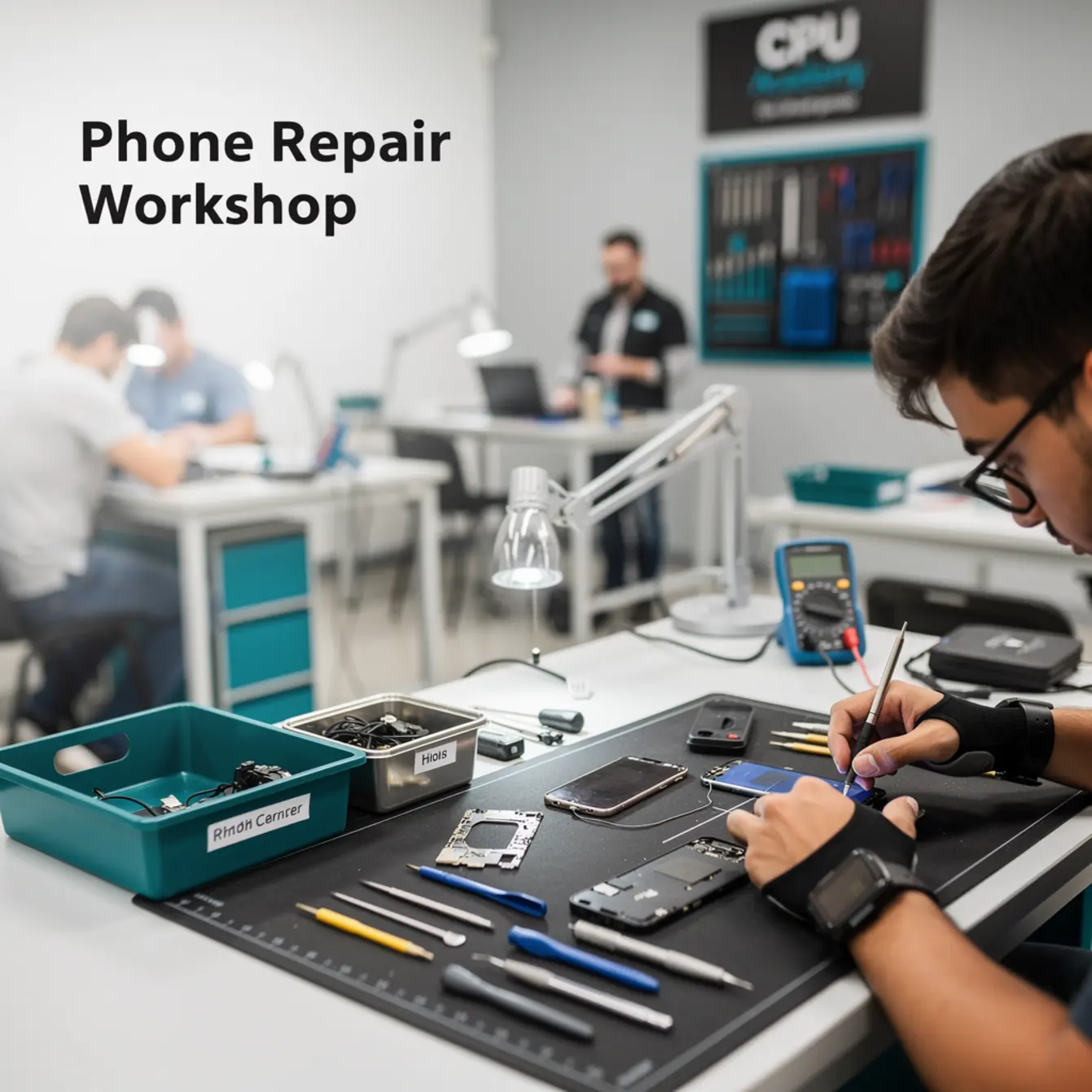
One thing we’ll get to later in this guide: there’s a specific moment during a first clean repair — screws sorted on the mat, cracked phone open on the work surface, every cable seated right — where the anxiety just lifts. That feeling is worth building toward. The 15 items below are how you get there.
Quick answer: who should use this phone repair toolkit guide?
This guide is for anyone who wants to repair phones — as a side income, a full-time trade, or just to stop paying someone else $80 to swap a cracked screen. It works whether you’re buying your first screwdriver set tonight or deciding which cell phone repair course to enroll in this week.
Already own a professional-grade toolkit and finished structured cell phone repair training? Jump straight to the comparison section. Everyone else, start here.
Who this is best for (and who should skip it)
This guide is right for you if:
- You’re new to phone repair and haven’t completed a structured course yet.
- You’ve watched repair videos but feel shaky about what to actually buy.
- You want a side income from phone repair and need a realistic starting point.
- You’re weighing an online phone repair course and want to know what hands-on tools you’ll need alongside it.
You can probably skip this guide if:
- You’ve been repairing phones professionally for more than a year.
- You already have a fully stocked repair bench and just need advanced diagnosis training.
The 15 must-haves before your first repair
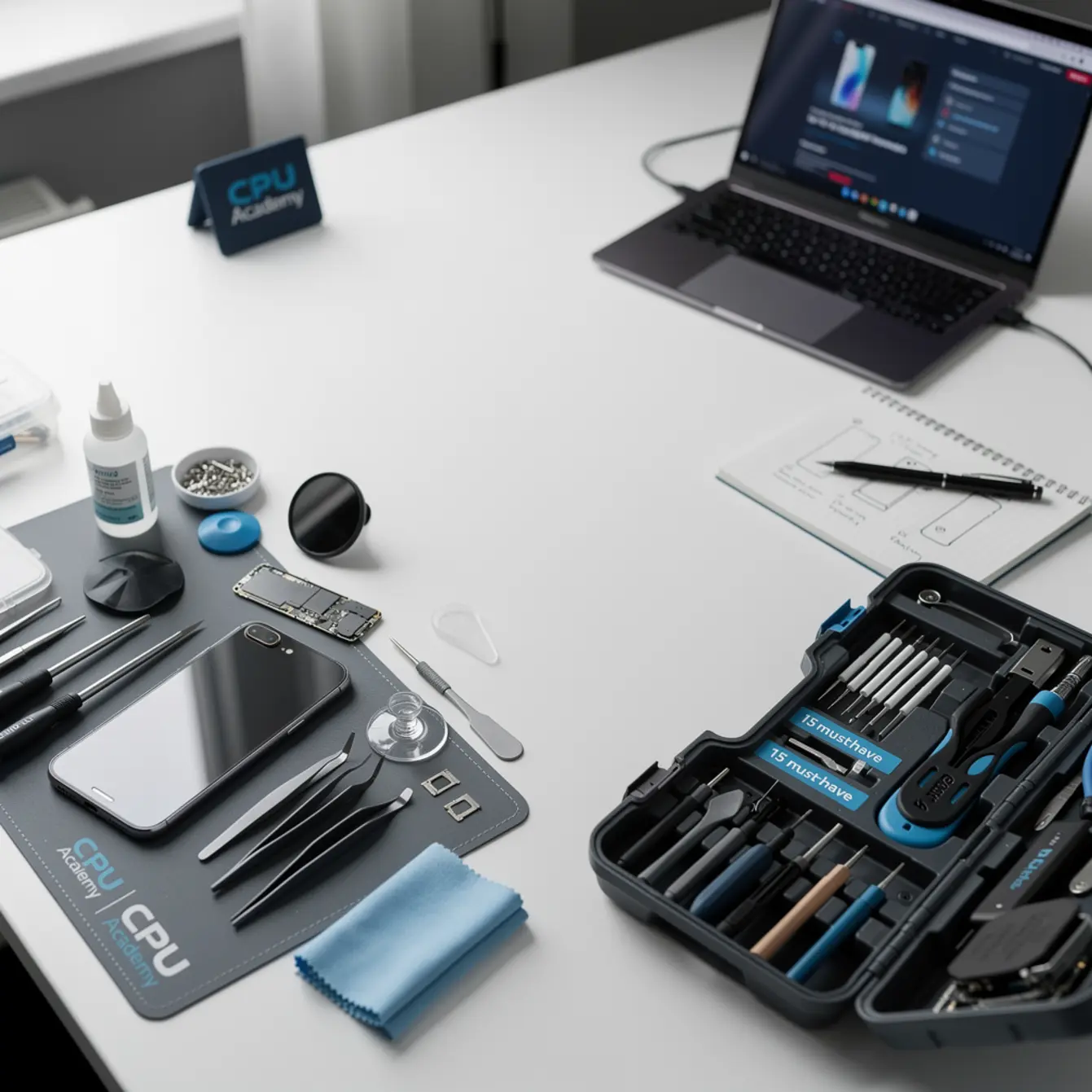
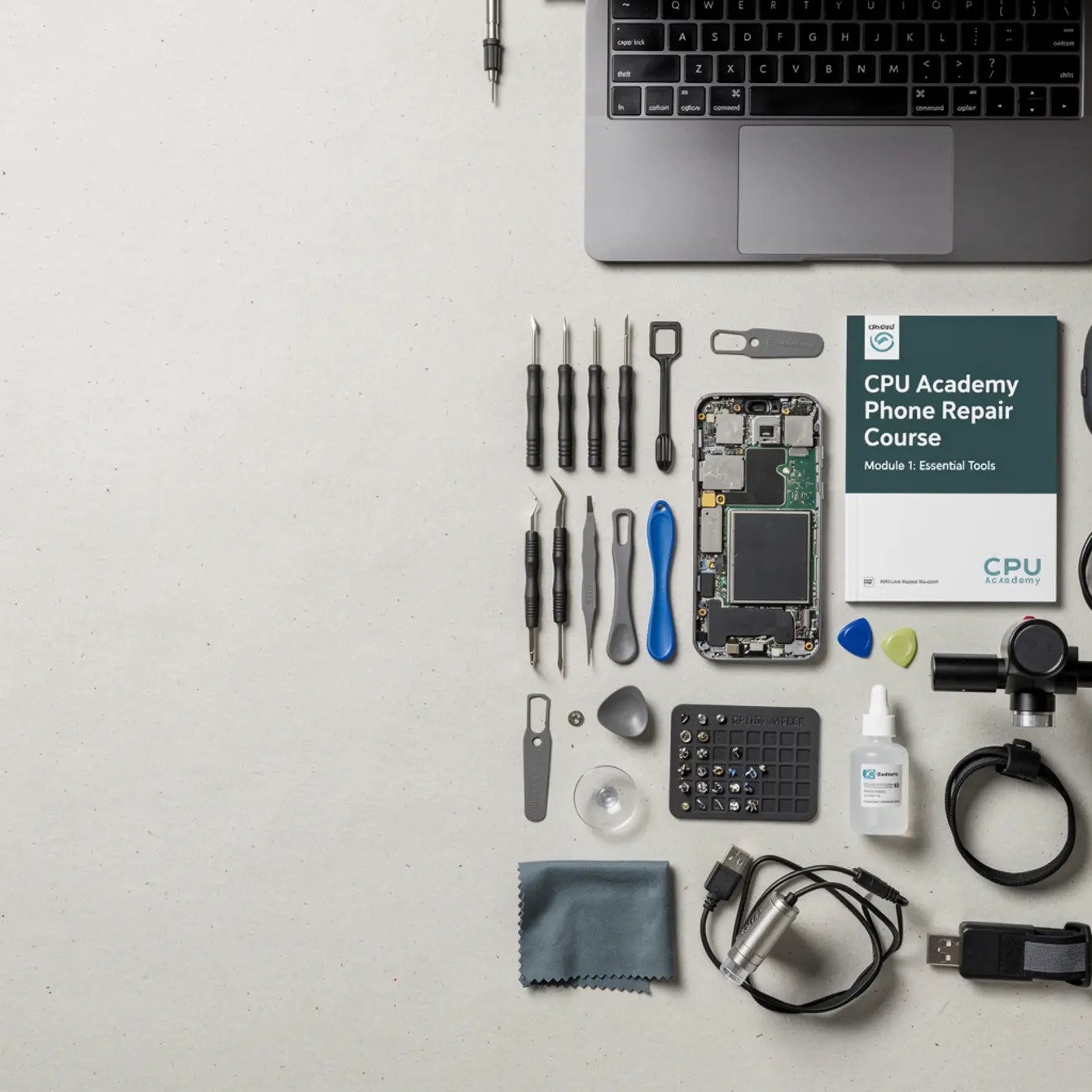
Think of these 15 items in three groups: physical tools, consumables and safety supplies, and knowledge tools. All three groups matter. A perfect screwdriver set won’t save you if you don’t know which screw to remove first.
Physical Tools (Items 1–8)
| # | Tool | Why you need it |
|---|---|---|
| 1 | Precision screwdriver set (Phillips, Pentalobe, Tri-point) | Phones use specialty screws. A standard hardware-store set will strip them. |
| 2 | Plastic spudger and pry tools | Opens clips and connectors without scratching or shorting components. |
| 3 | Suction cup handle | Lifts glass screens safely, especially on iPhone and modern Androids. |
| 4 | Tweezers (straight and angled) | Handles tiny screws, flex cables, and components you can’t grip with fingers. |
| 5 | Heat gun or iOpener tool | Softens adhesive on glued displays so you can open them without cracking the glass. |
| 6 | Magnetic parts tray or screw mat | Keeps screws sorted and in place. Lose one 1.2 mm screw and the whole repair stalls. |
| 7 | Digital multimeter | Tests voltage, continuity, and component function. Essential for real diagnosis. |
| 8 | Magnifying glass or digital microscope | Spots solder bridges, broken traces, and debris you simply can’t see with the naked eye. |
Consumables and Safety Supplies (Items 9–12)
| # | Supply | Why you need it |
|---|---|---|
| 9 | Anti-static wrist strap and mat | Static discharge can kill chips instantly. This one is non-negotiable. |
| 10 | Isopropyl alcohol (90%+ concentration) | Cleans connectors, removes adhesive residue, and preps surfaces for new tape. |
| 11 | Pre-cut adhesive strips or B-7000 adhesive | Re-seals displays and back glass cleanly after reassembly. |
| 12 | Nitrile gloves and lint-free cloths | Fingerprints on sensors and displays create callbacks. Gloves prevent that problem entirely. |
Knowledge Tools (Items 13–15)
| # | Knowledge tool | Why you need it |
|---|---|---|
| 13 | Schematic diagram access | Shows you exactly where each component lives. Guessing without a schematic costs you parts and time. CPU Academy’s phone schematic diagram course teaches you how to read them from scratch. |
| 14 | A structured mobile phone repair course | Random videos give you fragments. A course gives you a repeatable process — one you can actually charge for. |
| 15 | A practice device (a broken or retired phone) | Your first repair should never be a customer’s phone. Pick up a $10 cracked phone and use that to build your reps first. |
What to compare before you buy or enroll
Picking tools is simpler than picking a course. A screwdriver either fits the screw or it doesn’t. A course has several dimensions worth looking at carefully before you hand over your money.
Cost and what it actually includes
Some courses advertise a low upfront price but charge separately for schematics, supplemental videos, or support forums. Add those up before you compare sticker prices. A slightly higher all-in price often costs you less overall.
Real-device practice vs. simulations
Watch for courses that only walk you through video teardowns without guiding you through an actual hands-on repair. Screen replacement, for example, is a skill you build with your hands — not just your eyes. CPU Academy’s phone screen replacement course is built around guided hands-on practice, not passive watching.
Certification and job path
Ask directly: does the course provide a certificate? Is it something a customer or employer would actually recognize? Does the course include any guidance on finding paying work after you finish?
Those questions separate hobbyist content from real professional cell phone repair training. The answer matters if your goal is income, not just a hobby.
Support when you get stuck
Every beginner hits a wall at some point. Courses without active instructor or community support leave you Googling at midnight and hoping the answer turns up. Check whether the course has a community, a Q&A channel, or any way to ask questions while you’re in the middle of training.
Time to skill
How long before you can handle a paid job? Some courses front-load theory for weeks before you ever touch a device. Look for a course that puts you in a real repair workflow within the first few lessons, even if you’re still working on a practice phone.
Refund policy
A course that believes in its content will give you a reasonable window to try it risk-free. No refund policy listed? Ask before you pay. Treat the absence of one as a yellow flag.
Common mistakes beginners make
These are the most common ways first-time repairers set themselves back. Most are completely avoidable with a little preparation upfront.
- Buying a cheap generic toolkit. The screwdrivers strip screws. The pry tools scratch displays. You end up buying a better set anyway. Spend a little more upfront and skip that lesson.
- Skipping the anti-static mat. You won’t notice static discharge until a chip dies. Then you’ll wish you’d spent $15.
- Practicing on a live customer device first. Always buy a cheap broken phone to learn on. Never use a customer’s device as your first real run.
- Ignoring schematics. Beginners who rely only on videos get stuck the moment a repair doesn’t match the video exactly. Learning to read a schematic diagram is a career-level skill worth developing early.
- Choosing a course based on price alone. The cheapest cell phone repair course online is often the most expensive in the long run, because you’ll need a second course to fill the gaps the first one left behind.
- Not having a practice device. Watching a teardown ten times does not prepare your hands for the physical feel of releasing a flex cable clip. You need reps on real hardware.
- Quitting after one bad repair. Every technician has cracked a screen during training. It’s part of the process. The difference between beginners who build a career and beginners who quit is having a structured course that explains what went wrong and how to fix it next time.
Jay is a 26-year-old warehouse worker in Ohio who decided to learn phone repair as a side income. He bought a $25 toolkit from a marketplace, watched three hours of free videos, and tried to replace the screen on his brother-in-law’s iPhone.
He stripped two Pentalobe screws on the bottom, cracked the old display trying to pry it off without heat, and disconnected a flex cable he couldn’t get to re-seat. The cracked phone sat on his mat for two days while he figured out what went wrong.
He ended up paying a local shop $120 to finish the job.
Three months later, Jay enrolled in a structured mobile phone repair course, bought a proper toolkit, and practiced on five retired phones before taking his first paid job. Screws sorted on the mat, everything opened cleanly, every cable seated right. He completed a $65 screen replacement in 40 minutes and felt that relief you only get when a repair goes exactly the way it should. The difference wasn’t talent. It was preparation.
CPU Academy fit: when our phone repair course is the smarter choice
Not every course is right for every learner. Here’s the specific situation where CPU Academy makes sense.
CPU Academy is the right next step if you want to stop guessing and learn phone repair in a practical, confidence-building way. If you’re a US-based beginner who wants structured video lessons, schematic diagram training, real-device guidance, and a clear path to charging for repairs, this is the course built for that outcome.
Here’s what makes CPU Academy a match for the profile described in this article:
- It starts where you are. The course doesn’t assume prior electronics experience. It builds from the ground up, covering tools, safety, and technique before moving to advanced diagnosis.
- Schematics are part of the training. Most free courses skip schematic reading entirely. CPU Academy integrates it so you can diagnose problems that video tutorials don’t cover.
- It’s structured, not scattered. You follow a defined curriculum, not a random playlist. That structure is what moves you from unsure to consistently competent.
- The 30-day launch kit adds a real business path. If your goal is paid work, the Phone Repair Course Launch Kit gives you a 30-day action plan to start attracting customers alongside your technical training.
- It covers real-world repairs. Screen replacement, battery swaps, water damage assessment, charge port repairs — the jobs people actually pay for.
If your goal is paid repair work and you want a course that covers both the technical skills and the first steps toward running a repair business, CPU Academy’s curriculum is designed exactly for that path.
If you want the real course page behind this article, open CPU Academy’s Online Phone Repair Course & Certification now and turn this topic into a concrete next step.
FAQ + next step
Do I need all 15 items before I start?
You need the physical tools (items 1–12) and a practice device before you open your first phone. The knowledge tools (13–15) should be in place at the same time — ideally before you buy anything else, so you know exactly what to get and why.
How much does a beginner toolkit cost?
Tool costs vary a lot by brand and quality. The main advice: avoid the absolute cheapest option, especially for screwdrivers and pry tools, because low-quality versions damage parts. Research current prices on reputable tool retailers and compare kits that include the specialty bits phones actually require.
Is an online phone repair course enough, or do I need in-person training?
A well-structured cell phone repair course online — one that includes schematic training, step-by-step repair walkthroughs, and a community for questions — can absolutely get you to a professional skill level. The key is pairing it with hands-on practice on your own devices. Watching without doing won’t build the muscle memory repairs require.
What repairs should I try first as a beginner?
Battery replacement is usually the best first repair. It’s straightforward, parts are affordable, and it’s in high demand. Screen replacement is the logical next step. Both are high-volume jobs that pay well, which makes them the fastest way to recover your toolkit investment.
How long does it take to be ready for paid repair jobs?
That depends on how much time you put in each week and how quickly you move through your course material. Some learners are confident enough for basic paid repairs — battery swaps and screen replacements — within a few weeks of consistent practice. More complex diagnosis skills take longer to develop.
What is the next step after reading this guide?
Assemble your toolkit using the 15-item checklist above, source a practice phone, and enroll in a structured course before you open your first device. A phone repair course that includes schematic training and hands-on guidance gives you the knowledge foundation to use every tool on this list correctly.
Ready to go from toolkit to confident technician?
You have the tool list. Now get the training that shows you how to use it. CPU Academy’s structured curriculum covers tools, technique, schematic reading, and real-device repairs — everything on this list, taught in order, with support when you get stuck.