
Blog
FREE: MacBook Keyboard Swap — Model-by-Model Parts Guide (PDF)
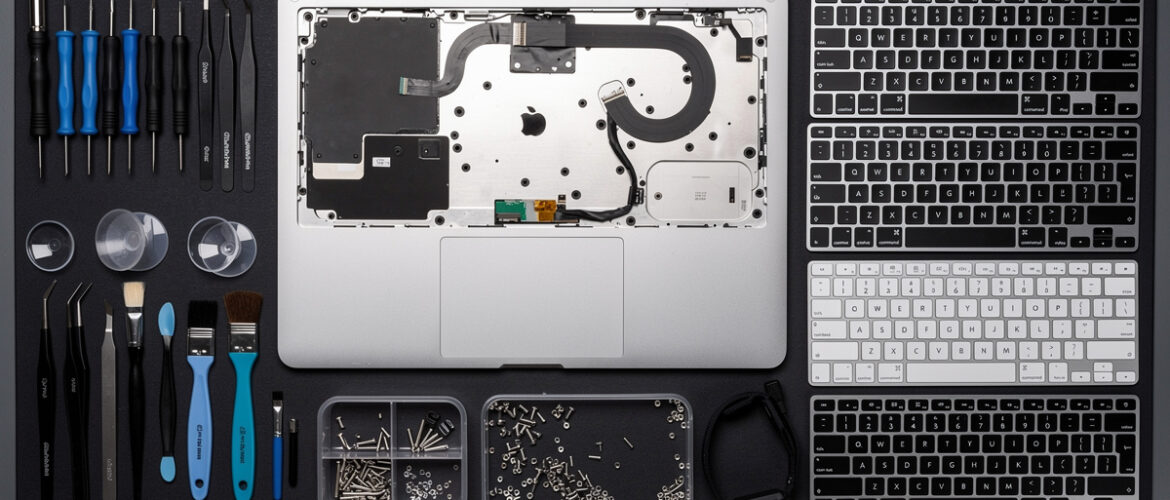
Ordering the wrong keyboard for a MacBook is one of the most expensive beginner mistakes in laptop repair — and it happens constantly because Apple uses different keyboard assemblies across models that look nearly identical from the outside. This free guide cuts through that confusion by giving you a model-by-model parts breakdown, so you know exactly what to order, what tools to grab, and what to watch out for before you touch a single screw. Comment MACBOOK on our Instagram post and we’ll send this PDF straight to your DMs.
What You Get Inside
This guide is built for the repair learner who is tired of cross-referencing five different forums just to figure out which keyboard fits which MacBook. Everything you need is right here — organized by model, clearly explained, no filler.
Part 1: Why MacBook Keyboard Swaps Confuse Everyone (And How to Stop Making That Mistake)
Apple has released multiple MacBook, MacBook Air, and MacBook Pro lines over the years, and the keyboards are not interchangeable — even between machines that look the same on the outside. The chassis shape, the backlight connector, the trackpad cable routing, and the top case design all vary. Ordering based on looks alone will cost you time, money, and a return shipping headache.
The two most critical things to verify before ordering any MacBook keyboard or top case assembly are:
- The exact model identifier — not just “MacBook Pro 13-inch” but the A-number stamped on the bottom of the machine (e.g., A2338, A1989, A1706). This is the only number that matters when ordering parts.
- Whether the keyboard is sold standalone or as a top case assembly — on most MacBooks from 2016 onward, the keyboard is riveted to the top case, which means you are replacing the entire top half of the laptop, not just popping keys.
Part 2: How to Find the Model Identifier on Any MacBook
Flip the MacBook over. Look for the fine-print text near the hinge. You will see a line that reads something like Model: A2338 or EMC: XXXX. Write that number down — it is your part-ordering anchor for everything else in this guide.
If the bottom case is missing or the text is worn off, you can also find the model identifier by going to Apple Menu → About This Mac → System Report → Hardware Overview → Model Identifier. The serial number on iCloud or Apple’s Check Coverage page will also return the exact model.
Part 3: Model-by-Model Parts Reference
Use this table to identify the correct keyboard or top case assembly for each major MacBook line. Always cross-reference with the A-number on the machine.
- MacBook Air 13″ (A2337 — M1, Late 2020): Top case with keyboard assembly. Part ships with Touch ID button and Force Touch trackpad. No butterfly mechanism. Uses Magic Keyboard design. Keyboard and top case are sold together.
- MacBook Air 13″ (A2179 — Early 2020): Top case with keyboard assembly. First Air with scissor-switch keyboard (post-butterfly). Backlit. Touch ID included. Order by A-number — fits differ from A2337.
- MacBook Air 13″ (A1932 — 2018–2019): Butterfly mechanism keyboard, third generation. Top case assembly required. Notoriously failure-prone. Apple ran a free repair program on these — check if the customer is eligible before charging for a repair.
- MacBook Air 13″ (A1466 — 2012–2017): Standalone keyboard available. Keyboard screws into top case separately. This is one of the few modern MacBooks where you can replace just the keyboard without replacing the entire top case. Backlit versions require backlight flex cable — order both together.
- MacBook Air 11″ (A1465 — 2012–2015): Standalone keyboard. Smaller form factor — do not cross-order with A1466 parts. Backlit. Pin layout differs from 13-inch models.
- MacBook Pro 13″ (A2338 — M1, Late 2020): Top case with keyboard. Magic Keyboard design. Touch Bar is gone on this model — replaced by physical function row. If a customer says they have a 2020 13-inch Pro, confirm the A-number because A2289 and A2251 also exist for that year.
- MacBook Pro 13″ (A2289 — Early 2020): Top case with keyboard. Has Touch Bar. Magic Keyboard (scissor switch). Different top case than A2338 — not interchangeable.
- MacBook Pro 13″ (A2251 — Early 2020): Top case with keyboard. Has Touch Bar and four Thunderbolt ports. Looks nearly identical to A2289 from outside — always check the A-number.
- MacBook Pro 13″ (A1989 — 2018–2019): Butterfly mechanism, third generation. Top case assembly required. High failure rate. Check Apple’s keyboard service program eligibility.
- MacBook Pro 13″ (A1706 — 2016–2017): Butterfly mechanism, second generation. Top case assembly. First Touch Bar MacBook Pro 13-inch. Touch Bar and Touch ID are part of the top case — they ship together.
- MacBook Pro 13″ (A1708 — 2016–2017): Butterfly mechanism. No Touch Bar. Two Thunderbolt ports only. Different top case than A1706 — do not mix them up despite both being “13-inch 2016.”
- MacBook Pro 15″ (A1990 — 2018–2019): Butterfly mechanism, third generation. Top case with keyboard. Touch Bar included. Large assembly — more labor-intensive swap.
- MacBook Pro 15″ (A1707 — 2016–2017): Butterfly mechanism, second generation. Touch Bar. Top case assembly.
- MacBook Pro 16″ (A2141 — 2019): Magic Keyboard (scissor switch). Apple returned to scissor switches on this model. Top case assembly. Physical Escape key returned on this model.
- MacBook Pro 14″ / 16″ (A2442 / A2485 — 2021, M1 Pro/Max): Magic Keyboard. Top case assembly. MagSafe 3 port is part of the top case on some configurations — confirm before ordering.
- MacBook (12″, A1534 — 2015–2019): Butterfly mechanism. Extremely compact top case. Single USB-C port machine. Very thin — keyboard assembly is tight and delicate.
Part 4: Butterfly vs. Scissor Switch — Why It Changes Your Whole Approach
If the MacBook has a butterfly keyboard (2016–2019 on most models), be aware of these realities:
- Individual key replacement is possible but extremely fiddly. Keycap clips break easily and replacements are hard to source reliably.
- If more than two or three keys are failing, it is almost always faster and more professional to quote a full top case swap instead of individual key repairs.
- Apple’s keyboard service program covered many butterfly keyboard failures for free. Always check at apple.com/support/keyboard-service-program-for-macbook-pro/ before charging a customer.
If the MacBook has a scissor-switch keyboard (pre-2016 or post-2019), individual key replacement is feasible for single broken or missing keys. Keycap kits are widely available and install with a simple clip-and-press method.
Part 5: The 5-Point Pre-Order Checklist
- Confirmed the A-number from the bottom of the machine (not just the marketing name).
- Verified whether the keyboard is sold standalone or as a top case assembly for this specific model.
- Checked Apple’s service programs — butterfly keyboard, battery, display — to see if any free repairs apply before the customer pays you.
- Confirmed the backlight color and keyboard layout (US English vs. international layouts have different part numbers).
- Sourced the part from a supplier who offers a compatibility guarantee or return window — not a marketplace listing with no recourse.
Want to Go Deeper?
This guide gives you the parts knowledge to walk into a MacBook keyboard job with confidence — but the full Laptop Repairing Course teaches you the complete repair workflow: diagnosing the root cause, handling the disassembly step by step, testing your work, and pricing the job so you actually make money doing this. If you are serious about building a real repair skill set, this is the logical next move.
📥 Download Your Free PDF
Print this guide and keep it at your bench so you always order the right part on the first try — no forum searches, no return shipping, no wasted afternoon.
Free account required · 30 seconds to sign up · Download instantly
Leave a Reply
You must be logged in to post a comment.