
Blog
FREE: iPhone Model ID Cheatsheet — Spot Every Model by Sight (PDF)
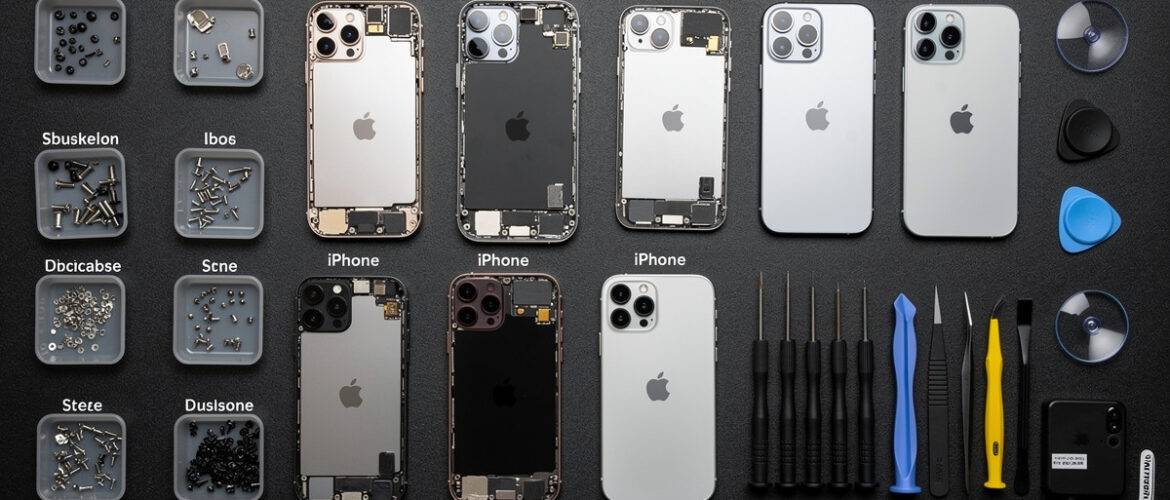
Ordering the wrong screen or battery because you misidentified the iPhone model is one of the most expensive beginner mistakes in phone repair — and it happens constantly. This free cheatsheet gives you every visual cue, port, and button pattern you need to identify any iPhone on the spot, before you ever touch a screwdriver. Comment IPHONE on our Instagram post to get the PDF sent straight to you.
What You Get Inside
This cheatsheet covers every iPhone from the original up through the iPhone 15 series. Use it at your bench, in a shop, or anywhere a customer hands you a device and you need to know exactly what you’re dealing with in under 30 seconds.
Section 1: The Big Visual Families — Group Them First
Before diving into individual models, train your eye to recognize the four major iPhone design eras. Slot any device into one of these groups first, then narrow it down.
- Home Button + Aluminum/Stainless Band (2G–3GS): Rounded plastic or glossy back, thick bezels, large home button. If it looks like a candy bar from 2008, it’s in this family.
- Home Button + Flat Glass/Metal Sandwich (iPhone 4–8 / SE 1st & 2nd Gen): Flat front and back glass, squared-off edges. The SE 2nd Gen looks almost identical to the iPhone 8 — size and Touch ID are your keys here.
- No Home Button + Notch (iPhone X–iPhone 14 / Plus): Full-screen front, Face ID notch at the top. Notch size and camera bump layout separate these models.
- No Home Button + Dynamic Island (iPhone 14 Pro / Pro Max / iPhone 15 series): Pill-shaped cutout at the top center instead of a notch. If you see the pill, you’re in the newest generation.
Section 2: Model-by-Model Visual ID Guide
iPhone 2G, 3G, 3GS
- Back: 2G = aluminum. 3G/3GS = glossy plastic.
- Ports: 30-pin dock connector on all three.
- Tell them apart: 3G vs. 3GS — look at the back text. The 3GS says “3GS” in small print.
iPhone 4 and 4S
- Back: Glass back, stainless steel band.
- Antenna lines: iPhone 4 (GSM) has antenna gaps on the left side and bottom. CDMA version has different gap placement.
- 4 vs. 4S: Nearly identical visually — check the back for “iPhone 4S” text or look at the SIM tray side. The 4S has a slightly different SIM slot position.
- Port: 30-pin.
iPhone 5, 5C, 5S
- Port: Lightning — first iPhone to use it.
- 5 vs. 5S: 5S has a Touch ID ring around the home button. 5 does not.
- 5C: Plastic back in colors (white, yellow, blue, green, pink). Unmistakable.
- Screen: 4-inch, taller and narrower than the 4 series.
iPhone 6, 6 Plus, 6S, 6S Plus
- Back: Aluminum with plastic antenna lines across the top and bottom.
- 6 vs. 6S: 6S has a “S” on the back, slightly heavier. 3D Touch is internal — not a visual cue.
- Size: Regular = 4.7 inch. Plus = 5.5 inch. Easy to see side by side.
- Camera: 6 camera sits flush. 6S camera protrudes slightly.
iPhone SE (1st Generation)
- Looks like: An iPhone 5S body with a 6S processor inside.
- Tell-tale: Chamfered edges like the 5S, no antenna lines across the back like the 6 series. “SE” printed on back.
iPhone 7, 7 Plus
- No headphone jack — biggest visual clue.
- Home button: Solid-state (doesn’t physically click).
- Antenna lines: Moved to top and bottom edges, cleaner back look.
- 7 Plus: Dual camera for the first time.
iPhone 8, 8 Plus, SE (2nd Generation)
- Back: Glass again (for wireless charging).
- 8 vs. SE 2nd Gen: Nearly identical. Check the back text. SE 2nd Gen has “iPhone SE” printed.
- 8 Plus: Dual cameras on the back, 5.5-inch screen.
iPhone X
- First no-home-button iPhone.
- Notch: Wide notch at top.
- Back: Dual vertical camera — stacked top to bottom on the left.
- Size: 5.8 inch OLED screen.
iPhone XR, XS, XS Max
- XR: Single rear camera. LCD screen. Available in multiple colors. 6.1 inch.
- XS: Dual rear camera (vertical stack). OLED. 5.8 inch.
- XS Max: Same as XS, larger — 6.5 inch.
iPhone 11, 11 Pro, 11 Pro Max
- 11: Dual camera in a square bump, top-left corner. Available in 6 colors including purple and yellow.
- 11 Pro / Pro Max: Triple camera in a triangular square bump. Matte glass back.
- Pro Max: Larger at 6.5 inch vs. 5.8 inch for Pro.
iPhone 12 Series (Mini, Standard, Pro, Pro Max)
- Flat edges return — squared-off aluminum or stainless band.
- 12 Mini: 5.4 inch — noticeably small.
- 12 / 12 Pro: Both 6.1 inch. Pro has triple camera + LiDAR. Standard has dual.
- 12 Pro Max: 6.7 inch. Largest camera bump in the lineup.
iPhone 13 Series (Mini, Standard, Pro, Pro Max)
- Notch: Smaller and wider than iPhone 12 series — shifted to center.
- 13 / 13 Mini: Diagonal dual-camera layout on the back.
- 13 Pro / Pro Max: Triple camera with larger lenses than 12 Pro. ProMotion 120Hz display (internal, not visual).
iPhone 14 Series (Standard, Plus, Pro, Pro Max)
- 14 / 14 Plus: Still has the notch. No mini model.
- 14 Pro / Pro Max: Dynamic Island replaces the notch — pill-shaped cutout.
- 14 Plus: 6.7 inch — same size as Pro Max but with standard features.
iPhone 15 Series (Standard, Plus, Pro, Pro Max)
- All four models: Dynamic Island across the entire lineup — no more notch on any model.
- Port: USB-C replaces Lightning on all iPhone 15 models — the fastest visual ID clue.
- 15 Pro / Pro Max: Titanium frame (lighter, brushed look). Action Button replaces mute switch.
- 15 Pro Max only: Tetraprism periscope zoom lens — camera bump looks distinctly different from Pro.
Section 3: The 5-Second Field Test — Any iPhone, Any Situation
When a customer hands you an iPhone and you need to ID it fast, run through these checks in order:
- Has it got a home button? Yes → iPhone 8 or older (or SE 1st/2nd Gen). No → Continue.
- Does it have a notch or a Dynamic Island? Notch → iPhone X through 14/14 Plus. Dynamic Island (pill shape) → iPhone 14 Pro or iPhone 15 series.
- What port does it have? 30-pin → 3GS or older. Lightning → iPhone 5 through 14. USB-C → iPhone 15 or newer.
- How many rear cameras and how are they arranged? One = older budget model. Two diagonal = iPhone 13 standard. Two vertical = iPhone 7 Plus / 8 Plus / X / XS. Three in triangle = Pro model from 11 onward.
- Check the back text. Apple prints the model name in small text below the camera. Confirm your visual guess here.
Section 4: Quick-Reference Model Number Lookup
If the visual check leaves any doubt, have the customer go to Settings → General → About → Model Number. Tap the model number to toggle to the full part number. Match it to this list:
- A2111 / A2223 / A2215 — iPhone 11
- A2341 / A2342 / A2343 — iPhone 12
- A2483 / A2482 / A2484 — iPhone 13
- A2649 / A2651 / A2650 — iPhone 14
- A3089 / A3090 / A3092 — iPhone 15
- A2342 — iPhone 12 (US)
- A2217 — iPhone 12 Pro Max (US)
Pro tip: Screenshot the full model number list from Apple’s tech specs page and keep it saved on your phone. This cheatsheet covers visual ID — the model number is your backup confirmation.
Want to Go Deeper?
This cheatsheet gets you to the right model fast — the full Phone Repair Course takes you through what to do next: diagnosing the actual fault, sourcing parts at the right price, and completing the repair correctly the first time. If you’re serious about building a repair skill set that pays, this is where to go.
📥 Download Your Free PDF
Print this cheatsheet and pin it at your bench so you can ID any iPhone in seconds — before you ever open a parts order.
Free account required · 30 seconds to sign up · Download instantly
Leave a Reply
You must be logged in to post a comment.