
Blog
FREE: First Paid Repair — Pricing Sheet and Intake Script (PDF)
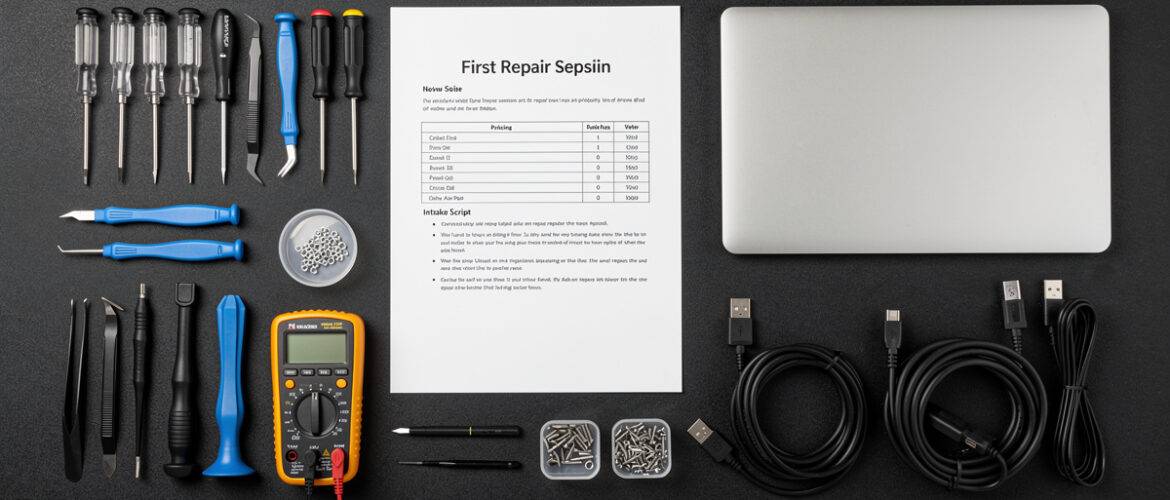
Most people learning phone and laptop repair can fix the device — but they freeze the second someone asks, “How much do you charge?” You don’t want to undersell yourself, overbid the job, or sound like you’re guessing. This free pricing sheet and intake script gives you the exact numbers to quote and the exact words to say, so your first paid repair feels professional from the moment your customer walks in to the moment they walk out satisfied.
What You Get Inside
This two-part resource covers the two biggest stumbling blocks for new repair techs: knowing what to charge and knowing what to say. Print both pages, keep them at your bench, and walk into your first paid job with zero guesswork.
Part 1: Flat-Rate Pricing Reference Sheet
Use these prices as your starting baseline. Adjust up by 10–20% if you’re in a high cost-of-living area, or if you’re sourcing OEM-grade parts. Adjust down slightly only if you’re doing a repair for a repeat customer or bundling multiple fixes.
Common Phone Repairs — Suggested Retail Pricing
- iPhone Screen Replacement (iPhone 11–15 series) — $89–$149 depending on model. Use $109 as your default quote for mid-range models. Parts run $25–$55, leaving a healthy margin.
- Android Screen Replacement (Samsung Galaxy S-series) — $99–$179. Samsung OLEDs are expensive to source; never quote flat without confirming your part cost first. Budget 40–50% of the retail price for parts.
- Battery Replacement — iPhone — $49–$69. Parts are $12–$20. Quick job, high volume. This is your bread-and-butter repair.
- Battery Replacement — Android (Samsung, Google Pixel) — $45–$65. Some models have adhesive-heavy battery pulls — factor in extra time.
- Charging Port Replacement — iPhone — $59–$79. Lightning and USB-C ports vary. Confirm the port type before quoting.
- Charging Port Replacement — Android — $55–$85. Many modern Androids have the port soldered to the board. If you’re not doing board-level work yet, be honest with the customer — refer out or decline.
- Back Glass Replacement — iPhone (iPhone 8 and later) — $69–$99. Laser removal machines speed this up significantly. Without a laser, budget 45–60 minutes of manual work.
- Camera Lens / Glass Replacement — $39–$59. This is cosmetic. Confirm the camera itself still works before you quote — otherwise you’re opening a bigger job.
- Speaker or Microphone Replacement — $49–$75. Often a flex cable swap. Confirm with a call test before and after.
- Water Damage Assessment + Clean — $49–$75 for the diagnostic and ultrasonic clean. Be clear this is not a guarantee of recovery. Charge for the service, not the outcome.
Common Laptop Repairs — Suggested Retail Pricing
- Screen Replacement (15-inch laptop) — $119–$199. Panels vary wildly. Always pull the model number and confirm the panel cost before quoting.
- RAM Upgrade (user-upgradeable laptops) — $45–$75 labor plus parts. Fast job if the panel is user-accessible.
- SSD Upgrade or Replacement — $59–$89 labor plus parts. Great upsell opportunity — offer to clone the old drive.
- Keyboard Replacement — $79–$129. Some laptop keyboards require full disassembly. Know the model before you quote a flat rate.
- DC Jack / Charging Port Repair — $75–$115. If it’s soldered, add time. If it’s a pigtail connector, it’s a 30-minute job.
- Thermal Paste Replacement / Fan Cleaning — $49–$79. High-value, easy job. Every overheating complaint is an opportunity.
- OS Reinstall / Virus Removal — $59–$99. Flat rate. Set expectations clearly — data backup is separate.
Part 2: Customer Intake Script
Use this word-for-word when a customer contacts you — whether by text, DM, phone, or in person. It covers every question you need to ask before you touch the device.
Step 1 — Greet and Confirm the Problem
Say: “Thanks for reaching out! Can you tell me exactly what’s happening with your device and when it started?”
Why this matters: You need their description before you diagnose. Don’t assume a cracked screen means the screen is the only problem.
Step 2 — Get the Model
Say: “What’s the exact model? For iPhones, you can find it in Settings > General > About. For Androids, it’s usually Settings > About Phone.”
This determines your part cost and your quote. Never skip this step.
Step 3 — Ask About Prior Repairs
Say: “Has this phone been repaired before, or has it been opened by anyone else?”
Prior repairs can mean stripped screws, broken clips, mismatched parts, or voided manufacturer warranties. You need to know before you open it.
Step 4 — Quote the Range, Not a Firm Price
Say: “Based on what you’ve described, I’m looking at somewhere between $X and $Y. I’ll confirm the exact price once I’ve had a chance to inspect the device. Does that range work for you?”
Never give a hard quote over the phone without seeing the device. A range protects you.
Step 5 — Set the Timeline
Say: “Most repairs like this take [X time]. I’ll let you know if anything comes up that changes that.”
Be honest. A same-day promise you can’t keep destroys trust faster than anything else.
Step 6 — Data Backup Disclaimer
Say: “Before I start, I want to make sure you know that any repair carries a small risk of data loss. I strongly recommend backing up your phone before dropping it off. Do you have a backup in place?”
Say this every single time. Put it in writing too. This protects you legally and shows professionalism.
Step 7 — Collect Device and Write the Ticket
Record: Customer name, phone number, device model, IMEI or serial number, visible damage at drop-off, agreed price range, and estimated completion time. Give the customer a copy.
Want to Go Deeper?
This pricing sheet and intake script gets you ready for your first job — but the full course walks you through building a real repair business from scratch, including how to find customers, source parts at the best prices, handle warranties, and scale beyond one repair at a time. If you’re serious about making money from repair, this is your next step.
→ Enroll in Starting A Mobile Phone Repair Business Free Trial
📥 Download Your Free PDF
Print this PDF and keep it at your bench so you always know what to charge and exactly what to say — no fumbling, no guessing, no lost income.
Free account required · 30 seconds to sign up · Download instantly
Leave a Reply
You must be logged in to post a comment.